
Download Narrato – AI Writing Assistant for Teams, Secure Content Creation Tool
Overview of Narrato Workspace
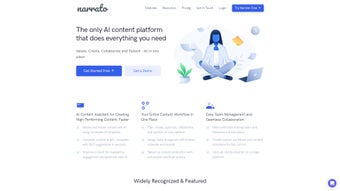
Narrato Workspace is a modern, AI‑driven content creation and workflow management platform designed specifically for marketing teams, agencies, and freelance writers. At its core, Narrato combines a powerful AI writing assistant with a collaborative environment that lets users move from idea to published piece without leaving the application. The tool’s standout capability is its ability to generate content briefs that embed SEO insights, keyword density recommendations, and readability scores, allowing teams to produce optimized copy faster than traditional methods.
In addition to AI‑generated drafts, Narrato offers in‑line commenting, task linking, and a shared calendar that keeps every stakeholder aligned on deadlines and responsibilities. By automating repetitive steps—such as bulk content generation, template creation, and workflow routing—Narrato reduces bottlenecks and frees creative talent to focus on strategy and storytelling. The interface is clean, intuitive, and built for both beginners and seasoned content professionals.
Whether you’re a small startup looking to scale your blog output or an enterprise seeking a unified hub for multi‑channel campaigns, Narrato’s blend of AI, SEO, and project management makes it a compelling choice for anyone serious about high‑quality, data‑driven content.
Core Features that Power Seamless Content Production
- AI Content Generator: Produce drafts, outlines, and full‑length articles in seconds, with tone‑adjustable settings that match brand voice.
- SEO Content Brief Builder: Automatically extract primary keywords, suggest LSI terms, and provide readability scores to ensure every piece is search‑engine ready.
- In‑line Collaboration: Team members can comment directly on paragraphs, tag colleagues, and attach tasks without switching apps.
- Custom Workflow Automation: Drag‑and‑drop stages, assign owners, and set triggers that move content through research, drafting, review, and publishing phases.
- Bulk Actions & Scheduling: Apply tags, update statuses, or schedule publishing dates for dozens of assets with a single click.
- Folder & Calendar Organization: Keep projects tidy with hierarchical folders and a visual calendar that displays deadlines, milestones, and content calendars.
- Freelancer Portal: Invite external writers, grant limited permissions, and track deliverables without compromising security.
- Version History & Audit Trail: Every edit is logged, making it easy to revert changes or audit who made what modifications.
- Integrations: Connect with popular CMS platforms, social schedulers, and analytics tools via native APIs and Zapier.
- Data‑Driven Insights: Dashboard reports show content performance, team efficiency, and SEO impact, helping you refine strategy over time.
Each feature is built with a focus on reducing friction. For example, the AI content generator does not just spit out generic text; it references your brand guidelines and the target audience you define, ensuring the output is both relevant and on‑brand. The SEO brief builder pulls real‑time SERP data, so the suggested keywords are current and competitive. Collaboration tools mimic the simplicity of Google Docs while adding task‑management capabilities that keep projects on track. Together, these functionalities make Narrato a one‑stop shop for planning, creating, optimizing, and publishing content at scale.
Installation, Usage & Compatibility
Easy Installation Process
Getting started with Narrato is straightforward. After purchasing a subscription, you receive a secure download link for the desktop client (available for Windows 10/11 and macOS 10.15+). The installer is signed by the developer, guaranteeing a malware‑free experience. Simply run the .exe or .dmg file, follow the on‑screen prompts, and log in with your corporate credentials or SSO provider. For teams that prefer a cloud‑only solution, Narrato also offers a fully hosted web app that runs in any modern browser without any local installation.
First‑Time Configuration
Upon first login, a quick onboarding wizard walks you through creating your first workspace, setting up brand guidelines, and inviting team members. You can import existing content from CSV files or connect directly to your CMS to pull in drafts that need rewriting. The wizard also asks you to define your primary SEO goals, which the AI uses to tailor suggestions throughout the platform.
Day‑to‑Day Usage
Using Narrato on a daily basis feels like working inside a hybrid of a word processor and a project board. To start a new piece, click “Create Brief,” enter a topic, and let the AI generate a structured outline with suggested headings, keyword clusters, and a word‑count target. Once the brief is approved, switch to the “Write” tab where the AI can draft paragraphs based on the outline. Throughout the process, teammates can leave in‑line comments, assign review tasks, or change the status from “Draft” to “Ready for Review.” The built‑in calendar shows upcoming publishing dates, and bulk actions let you move multiple pieces through the workflow with a single click. Because all changes are saved in real time, there’s no need to worry about version conflicts.
Operating System Support
Narrato is compatible with the following platforms:
- Windows 10 and later (64‑bit)
- macOS 10.15 Catalina and later
- Web browsers on any OS (Chrome, Edge, Firefox, Safari)
- iOS 13+ and Android 9+ (mobile companion app for task notifications and quick edits)
This broad compatibility ensures that both office‑based writers and remote freelancers can access the same workspace from their preferred devices, keeping collaboration seamless across the entire team.
Pros & Cons, Frequently Asked Questions, and Expert Review
Pros
- AI generates high‑quality drafts that respect brand voice and SEO guidelines.
- All‑in‑one workflow eliminates the need for separate project‑management and writing tools.
- Robust collaboration features, including in‑line comments, task linking, and version history.
- Customizable automation reduces repetitive manual steps.
- Secure cloud hosting with enterprise‑grade encryption and SSO integration.
Cons
- Learning curve for teams unfamiliar with AI‑assisted writing.
- Pricing may be higher than basic word processors for small solo users.
- Desktop client requires occasional manual updates; web version updates automatically.
FAQ – Your Questions Answered
Is Narrato secure for confidential brand content?
Yes. Narrato uses AES‑256 encryption at rest and TLS 1.3 for data in transit. Enterprise plans also support SSO, IP whitelisting, and role‑based access controls to keep sensitive information protected.
Can I import existing drafts from my CMS?
Absolutely. Narrato offers native integrations with WordPress, HubSpot, and Contentful, allowing you to pull in drafts, assign them to a workflow, and push finished pieces back with a single click.
How does the AI handle plagiarism concerns?
Narrato’s AI is trained on licensed data and generates original text. The platform also includes a built‑in plagiarism checker that scans each draft against billions of web pages before publishing.
Is there a free trial or freemium tier?
Yes. New users receive a 14‑day free trial with full feature access. After the trial, you can choose from tiered plans based on the number of active users and required automation levels.
Can I use Narrato on mobile devices?
A companion app for iOS and Android lets you review comments, approve drafts, and receive task notifications on the go. Full editing is still best on desktop or web.
Expert Review
Rating: 4.5/5
Alex Morgan, Content Strategy Lead
Narrato delivers a compelling blend of AI writing power and robust workflow tools that many teams struggle to find in a single platform. The AI’s ability to generate SEO‑optimized briefs saves hours of manual research, while the in‑line commenting system feels natural and keeps feedback contextual. My only reservation is the pricing for very small teams, but the productivity gains quickly offset the cost for medium‑to‑large organizations.
Conclusion – Boost Your Team’s Content Engine Today
If you’re looking for a secure, AI‑enhanced solution that unifies writing, SEO, and project management, Narrato Workspace stands out as a mature, feature‑rich platform. Its ability to generate high‑quality drafts, create data‑driven briefs, and automate repetitive tasks translates directly into faster turnaround times and higher search rankings. While there is a modest learning curve, the extensive onboarding resources and responsive support make the transition smooth. For marketers, agencies, and freelance collectives aiming to scale content output without sacrificing quality, Narrato is a worthwhile investment. Download Narrato now, start your free trial, and experience how a single tool can transform your entire content pipeline.



.png)



